ZHEN XIANG
INDUSTRIAL COMPANY LTD.
INDUSTRIAL COMPANY LTD.
- All
- Product Name
- Product Keyword
- Product Model
- Product Summary
- Product Description
- Multi Field Search


ZXS-205
ZXS
| Button size: | |
|---|---|
| Function: | |
| Message: | |
| Memory: | |
| Switch Option: | |
| Battery: | |
| Components: | |
| Quantity: | |

Feature:
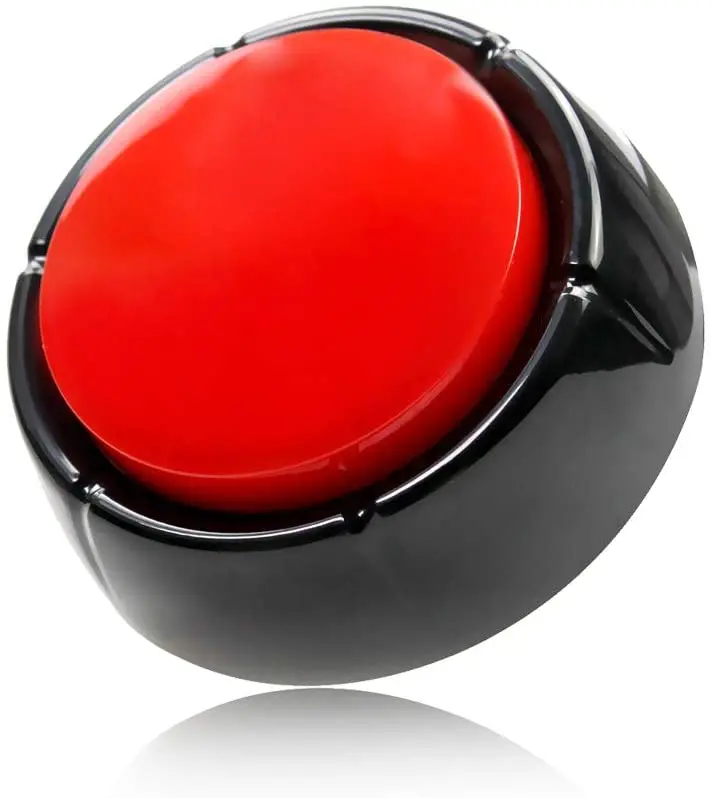
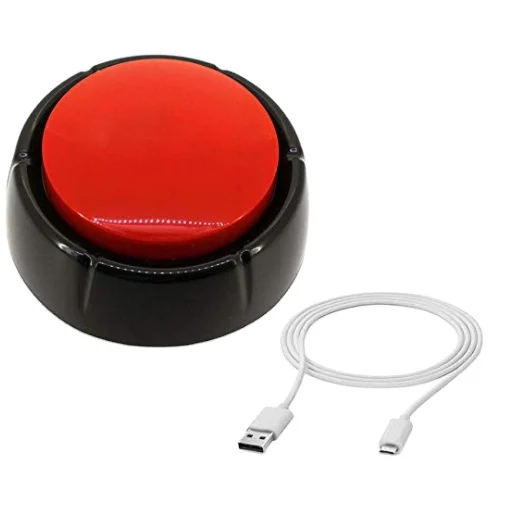
Simply connect to your computer via the included USB cable and drag and drop absolutely any MP3 or WAV files onto the device; Push the button and they play, one sound play per press, If there are multiple sound files,it will play in upload order.
CUSTOM YOUR OWN BUTTON - Make a talking button with uploading sound files, like make a Trump button, make a your favorite songs button, make noise button, make any button you want! A great way to say something humorous or sentimental!
KINDLY NOTED- When you connect the USB cable, after drag and drop the sound files, pls disconnect USB cable, then press top button to play voice, if the USB cable is connecting, you press the button, it will can't not work.
USB Sound Button:
We can program multiple sounds / message / songs into this sound button ,each time you press the button ,it will play a different sound .
For Business, Gift , Tou , Corporate, and Personal use!
Button Size:
Dia89x40mm,
Logo Printing Size:
25mm in the center.
Price & Quantity:
1000pcs minimum for music button music chips.
Lower Prices for Larger Quantities!
Music file format:
MP3, WAV.
Printing artwork:
Send us your art file as a PDF file - 300 dpi with 3mm color bleed. Solid color or full color printings are available.We will send you a proof prior to mass duplication.
How to use ?
Instructions
Step 1: Connect the sound button via USB .
Step 2: Drag and drop the sound files to the removable disk (in MP3 or WAV, less than 8MB)
Step 3: Disconnect, press and enjoy.
Remark: When there are more than one sound files, it will play according to the sequence you drag the files. (Pls disconnect USB cable, then press top button to play voice, if the USB cable is connecting, you press the button, it will can't not work.)
*FAQ *
1. How to change the sound files?
Re: Support sound file but not folder; Darg sound file in MP3/ WAV onto removeable disk; Change the sound file by removing but not draging;
2. Playback
>>For one sound file, it will stop if you press during its playback.
>>For several sound files, it will play in sequence per the time you upload sound files. It is one different sound per one press.
>>For some sound files convert into MP3/ WAV, device may low probability not identify sound file.
>>Pls make sure there is no silence part in the beginning of sounds, otherwise you would wait a moment to get the sound out when you push the button.
| Button Size | Dia89x40mm |
| Package | White Gift Box |
| Material | ABS |
| Button color | Blue and White, accept custom |
| Logo | Accept 1-4C Offset Printing |
| Music | 1-1000S |
| Switch control | puch button |
| Function | You can upload audio file by yourself |
| Battery type | 2 AAA batteries |
| Certificate | RoHs CE ISO9001 |
| Product Keywords | easy button,talking button,sound buttons |
Customized USB Downloadable Sound Push Button Programmable Music Sound Button Users Can Change Audio Files by Themselves