ZXS
| Product name: | |
|---|---|
| Battery: | |
| Color: | |
| Size: | |
| Book module size: | |
| Pages: | |
| Function: | |
| Availability: | |
| Quantity: | |
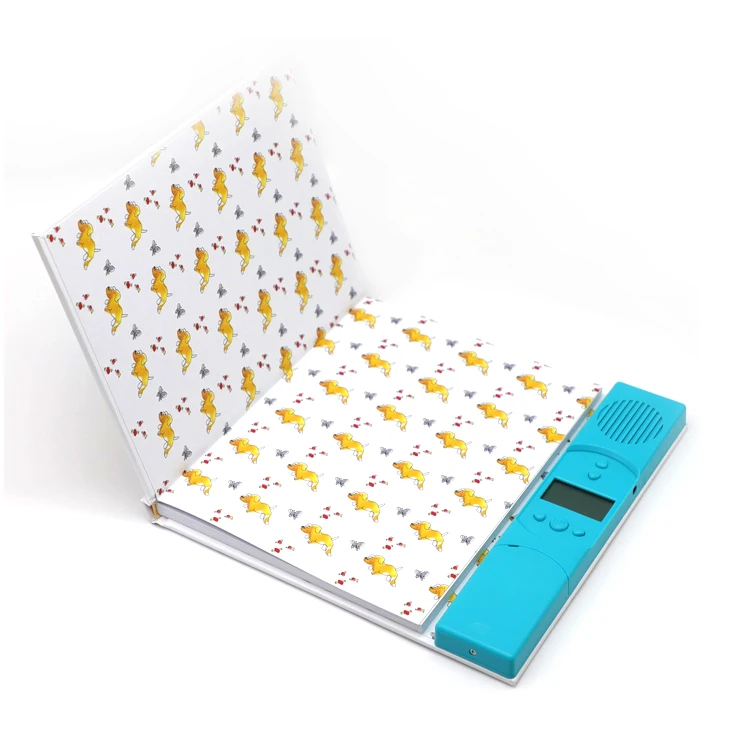
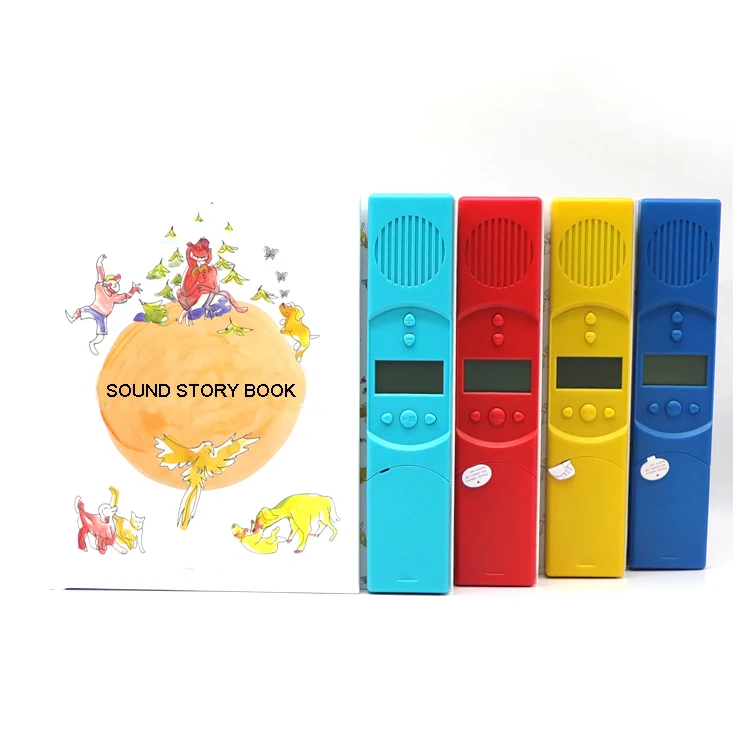
| Product Name | Hot Digital Customized English Speaking Bilingual Arabic Children 60 Smart Audio Book Books | |||
| Power Battery | 3 pieces AAA battery | |||
| Operations | As following, or customized function | |||
| * On/Off key Long press On/Off key for 3 seconds to power on, and briefly press Play/Pause. If you press On/Off to pause during playing, the song number flashes when pause. If there is no operation for 15 seconds, the screen will enter sleep state. Press any buttons to return to screen display within 1 minute after the screen is off and the track resume where it was paused, The earphone can also resume screen display. However, after inserting the earphone, three cells of volume will be displayed. When other keys are pressed, the volume screen will be restored as what volume screen is restored. If there is no operation after 1 minute, ,it will shut down by itself. No matter in play / pause / Headset mode, long press 3 seconds to turn off it directly. * Volume + / Volume - key Press the key volume "+", the volume increases, and the volume is in 7 levels in total, and pressed volume"-", the volume decreases, and the volume is 7 levels in total. The short press is valid and the long press is invalid. * Previous / next key Short press the previous / next to select the music&songs in a circle, long press for fast forward selection.Press and hold one of the keys,it scrolls through files quickly, i.e. if you was on track 2 and wanted to get to track 75, rather than press the next keys 74 times, you can long press and hold the right right next key to get there quicker. * 3.5 mm audio jack port, can free download from computer. | ||||
| Product Name | Hot Digital Customized English Speaking Bilingual Arabic Children 60 Smart Audio Book Books | |||
| Power Battery | 3 pieces AAA battery | |||
| Operations | As following, or customized function | |||
| * On/Off key Long press On/Off key for 3 seconds to power on, and briefly press Play/Pause. If you press On/Off to pause during playing, the song number flashes when pause. If there is no operation for 15 seconds, the screen will enter sleep state. Press any buttons to return to screen display within 1 minute after the screen is off and the track resume where it was paused, The earphone can also resume screen display. However, after inserting the earphone, three cells of volume will be displayed. When other keys are pressed, the volume screen will be restored as what volume screen is restored. If there is no operation after 1 minute, ,it will shut down by itself. No matter in play / pause / Headset mode, long press 3 seconds to turn off it directly. * Volume + / Volume - key Press the key volume "+", the volume increases, and the volume is in 7 levels in total, and pressed volume"-", the volume decreases, and the volume is 7 levels in total. The short press is valid and the long press is invalid. * Previous / next key Short press the previous / next to select the music&songs in a circle, long press for fast forward selection.Press and hold one of the keys,it scrolls through files quickly, i.e. if you was on track 2 and wanted to get to track 75, rather than press the next keys 74 times, you can long press and hold the right right next key to get there quicker. * 3.5 mm audio jack port, can free download from computer. | ||||